
How to create communication logs
Open My Documents\Mobiledit! folder, if there is a folder named Logs, delete it.
Run the MOBILedit software!
Enable logging:
3a. Open File/Settings... in the program menu.
3b. Open the Communication tab
3c. Check the Logging section
3d. Change the log level to Comm then Click OK.
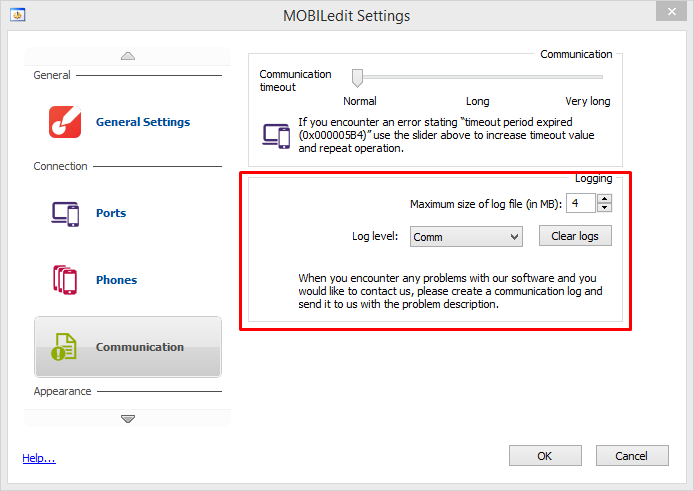
4. Restart the MOBILedit program!
5. Repeat exactly what previously caused the issue, until error reoccurs.
6. Prepare data:
6a. Select the prepare data for feedback item in the help menu.
6b. Write a brief description of the issues you are encountering and add any information that you feel would be helpful in finding the solution.
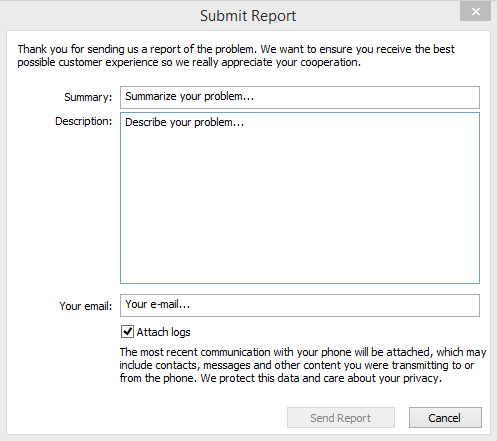
7. Finally send us the data to analyze.